

TRACEABLE
Every value shows its source
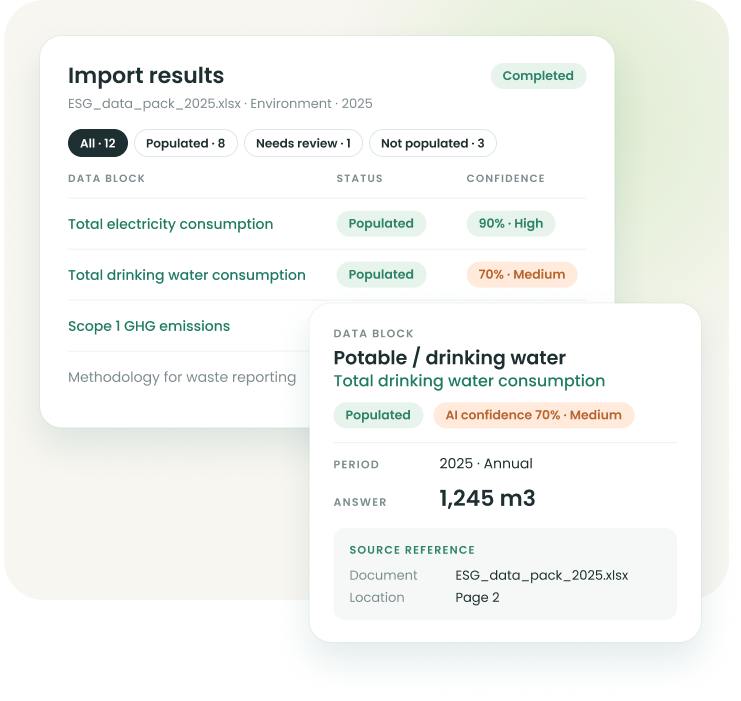
The document, page and quoted text behind each answer, plus a Smart Import label and the uploader's name.

From the data you already have to disclosures ready for review.
Smart Import, part of Gather, reads the files your team already holds and fills in the matching disclosures, ready for your review.
THE SHIFT
Your data lives in many systems, and every one of them exports a file. Smart Import is our first level of integration: Squarely reads what those systems export, so your team reviews figures instead of retyping them.
HOW IT WORKS
In just four steps, Squarely pre-fills your disclosures by extracting the data from the files you upload. Nothing gets through without your approval, keeping the data secure and trustworthy, without AI hallucinations.
All inside Gather.
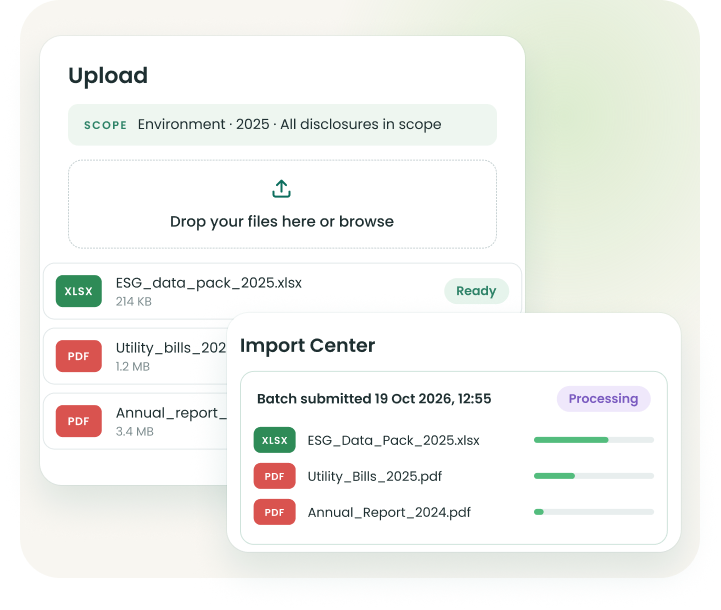
Define the scope: one reporting year and one topic. Narrow it to a subtopic or specific disclosures if you need to.
Upload your files: up to five per import, in eight formats: PDF, Word, Excel, CSV, PowerPoint, TXT, JPG and PNG. Or reuse a past upload.
Keep working: the import runs in the background, even after you close the window. Follow it in the Import Center.
Review every value: each pre-filled value shows its source page, the quoted text and an AI confidence score.
AI CONFIDENCE
Squarely gives every pre-filled value a confidence rating. Low scores are flagged before anyone approves.
BUILT-IN SAFEGUARDS
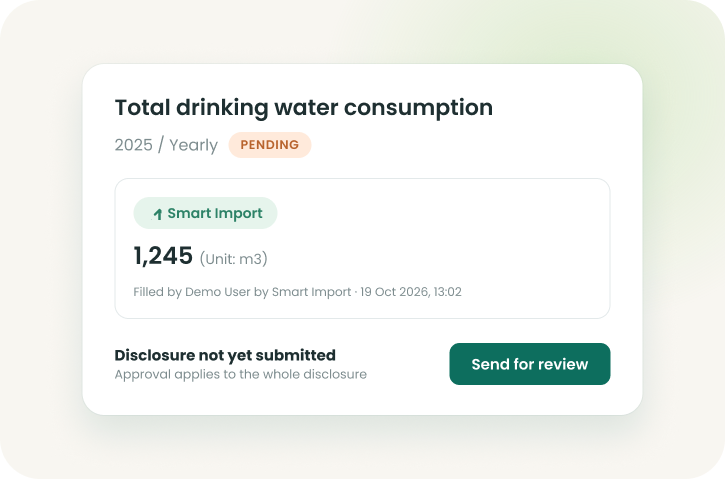
Imported data lands as pending, labelled Smart Import, with the uploader's name on it. Nothing is approved until your team approves it.
TRACEABLE
The document, page and quoted text behind each answer, plus a Smart Import label and the uploader's name.

REVIEWED
No auto-approve at any confidence. Imported data waits for your usual review and approval.

PROTECTED
Approved, locked and Do not report periods refuse imports. Each user imports only into their assigned subtopics.

AUDITED
The Import Center keeps every import, what it wrote and what it held back, with the reason.
See how Smart Import pre-fills your disclosures from the files your team already holds.